EMLE Notes - Forget password
Welcome to EMLE Notes !Here’s how to change your password if you don’t know it.
Welcome to EMLE Notes !
Here’s how to change your password if you don’t know it.
Forget password
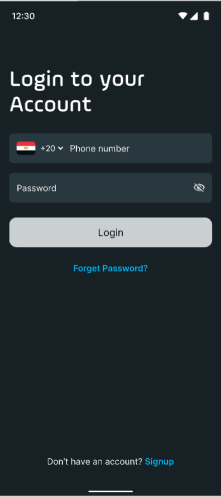
Step 1: Go to the Login Screen 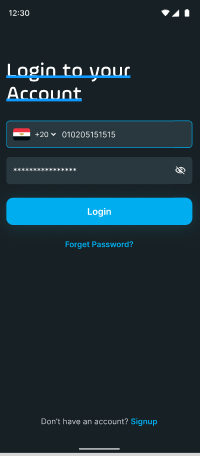
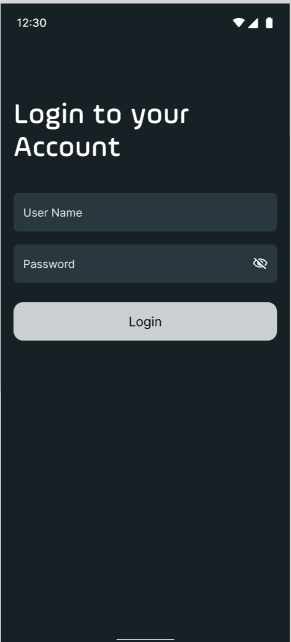
- Open the app.
- Tap Log In on the welcome screen.
Step 2: Select "Forgot Password"
- Below the password field, tap Forgot Password?

Step 3: Enter Your Phone number
- Enter the Phone number associated with your account.
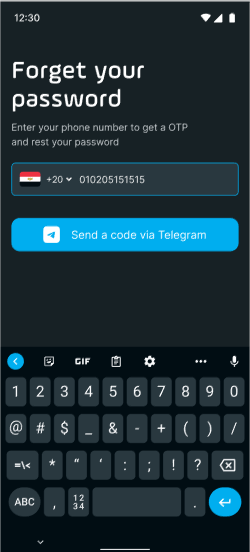
- Tap Submit or Next to proceed.
Step 4 : Via Telegram Code
·After clicking "Continue With Telegram", a new window with instruction will appear so you should click on "Open Telegram"
·Click the Icon ( ) then choose verify my number one you click it , it will send you a verification number
·Enter the code in the provided field within the app to verify your number in 5 minutesStep 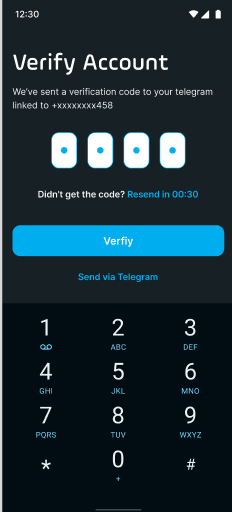
Step 5: Create a New Password
· Follow the on-screen instructions to create a new password. Make sure it meets the following requirements:
oAt least 8 characters long
oIncludes uppercase and lowercase letters, a number, and a special character
Step 6: Log In with Your New Password
- Once your password has been reset, go back to the login screen.
- Enter your Phone number and new password to regain access to your account.
No comments yet. Login to start a new discussion Start a new discussion