EMLE Notes - Quizzes
Welcome to EMLE Notes !Here’s how to Accessing Quizzes
·
1 min read
Welcome to EMLE Notes !
How to Take a Quiz
- Go to the “My Library” tab at the bottom of the screen:
- Once logged in, tap on the Courses tab.
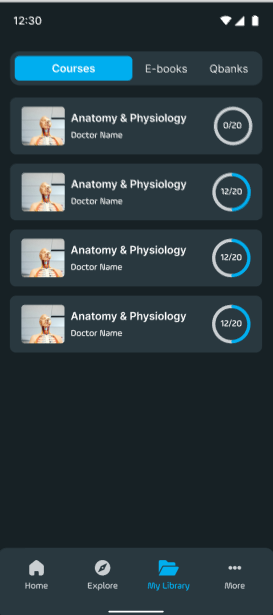
- Select a Course and Open the Quiz:
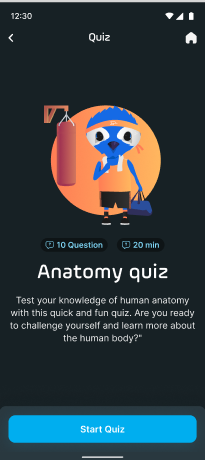
- Choose a course that includes quizzes as part of its material.
- Answer Quiz Questions:
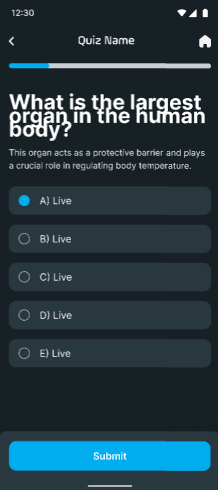
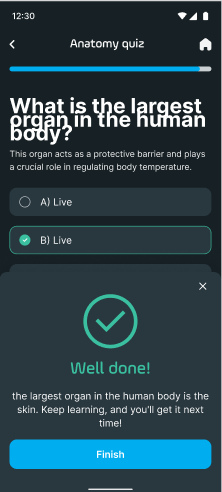
- Answer each question, and immediately after submitting each answer, you will see whether it is correct or incorrect, along with an explanation.
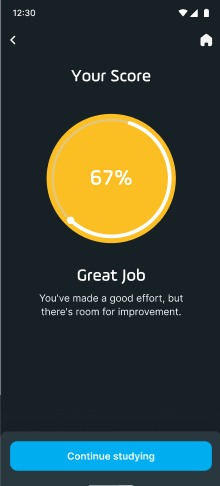
- Submit the Quiz:
- Once you have completed all questions, tap Submit to review your overall results.
EA
No comments yet. Login to start a new discussion Start a new discussion