EMLE Notes - Comments
Welcome to EMLE Notes !Here’s how to commentHow to Add a Comment on Course Materials Access a Course: Go to the “ my library ” tab at the bottom o
·
1 min read
Welcome to EMLE Notes !Here’s how to comment
- How to Add a Comment on Course Materials Access a Course: Go to the “ my library ” tab at the bottom of the screen
- select a course with the material you want to comment on.
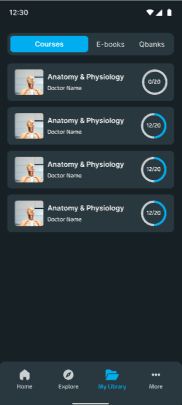
- Open Material and Find Specific Point: For videos: Play the video and pause at the specific timestamp where you want to add a comment. For books or readings:
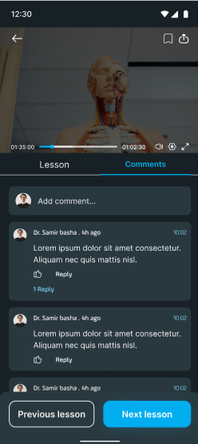
- Scroll to the specific page where you want to leave a note.
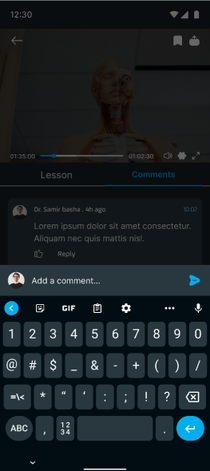
- For quizzes: Open the question you’d like to comment on. Tap on the Comment Icon: Tap the comment icon (usually displayed as a speech bubble or note symbol) to open the comment box. Write and Post Your Comment: Type your question, feedback, or note, and tap Post. Your comment will be saved at that specific location in the material for easy reference.
EA
No comments yet. Login to start a new discussion Start a new discussion