EMLE Notes - Accessing Books OR Pdf
Welcome to EMLE Notes !Here’s how to Accessing BooksHow to Use the Book Access Feature · 1 min read
Welcome to EMLE Notes !Here’s how to Accessing Books
How to Use the Book Access Feature
- Go to the "My Library" tab at the bottom of the screen:
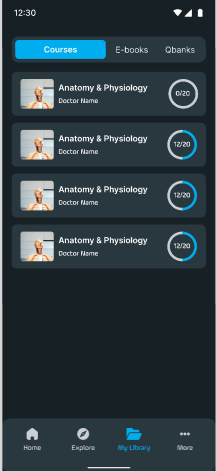
- Once logged in, tap on the Courses tab.
- Select a Course:
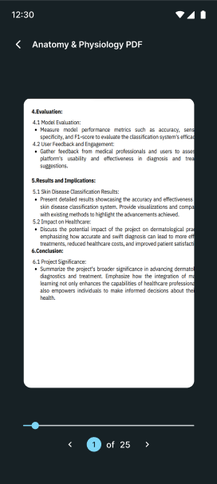
- Choose a course that includes book or PDF content.
- Open a Book or PDF:
- Tap on any book resource within the course to open it.
- Using the Page Navigation Tool:
- Jump to a Specific Page: Use the navigation bar or enter a page number to go directly to a specific page.
- Scroll or Swipe: You can also swipe through pages or use the table of contents to quickly navigate between sections.
EA
No comments yet. Login to start a new discussion Start a new discussion