EMLE Notes - Download
Welcome to EMLE Notes!Here’s how to download Download learning files
Welcome to EMLE Notes!Here’s how to download
Download learning files
How to Download Learning Files 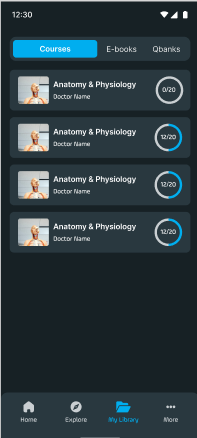
Go to the "my library" Tab at the bottom of screen : Once logged in, go to the “Courses” .
Select a Course : Choose any course to view its details and available materials.
Look for Downloadable Files: Each course includes a range of learning files, such as PDFs, e-books, presentations, and video lectures.  Downloadable files will have a Download icon next to them.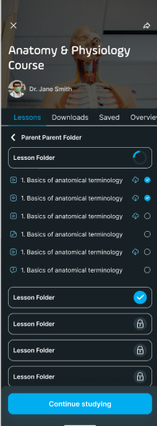
Downloading Process
Tap the Download icon next to any file you want to save for offline access. 
The file will start downloading and will be saved within the app’s offline Download section
To view downloaded files, go to the Downloads or Offline Files section in the app menu.
Studying Offline 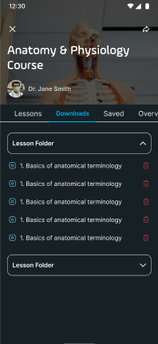
Once downloaded, you can access these files without an internet connection, making it easy to study on the go or in areas with limited connectivity. Your downloaded files will remain accessible until you choose to delete them from App
No comments yet. Login to start a new discussion Start a new discussion